> For the complete documentation index, see [llms.txt](https://docs.zipy.ai/llms.txt). Markdown versions of documentation pages are available by appending `.md` to page URLs; this page is available as [Markdown](https://docs.zipy.ai/product-features/ai-summary.md).
# AI Summary
Instantly understand what happened in any session — without watching the entire replay.
AI Summary is a Zipy feature that uses AI to automatically generate a concise, human-readable summary of any recorded user session. Instead of scrubbing through a full session replay to understand what a user did, you get a clear narrative of the session in seconds.
Every session is analyzed across user actions, errors, network requests, and console events. The AI then produces a structured summary that tells you exactly what the user experienced — from the moment they landed on your app to when they left.
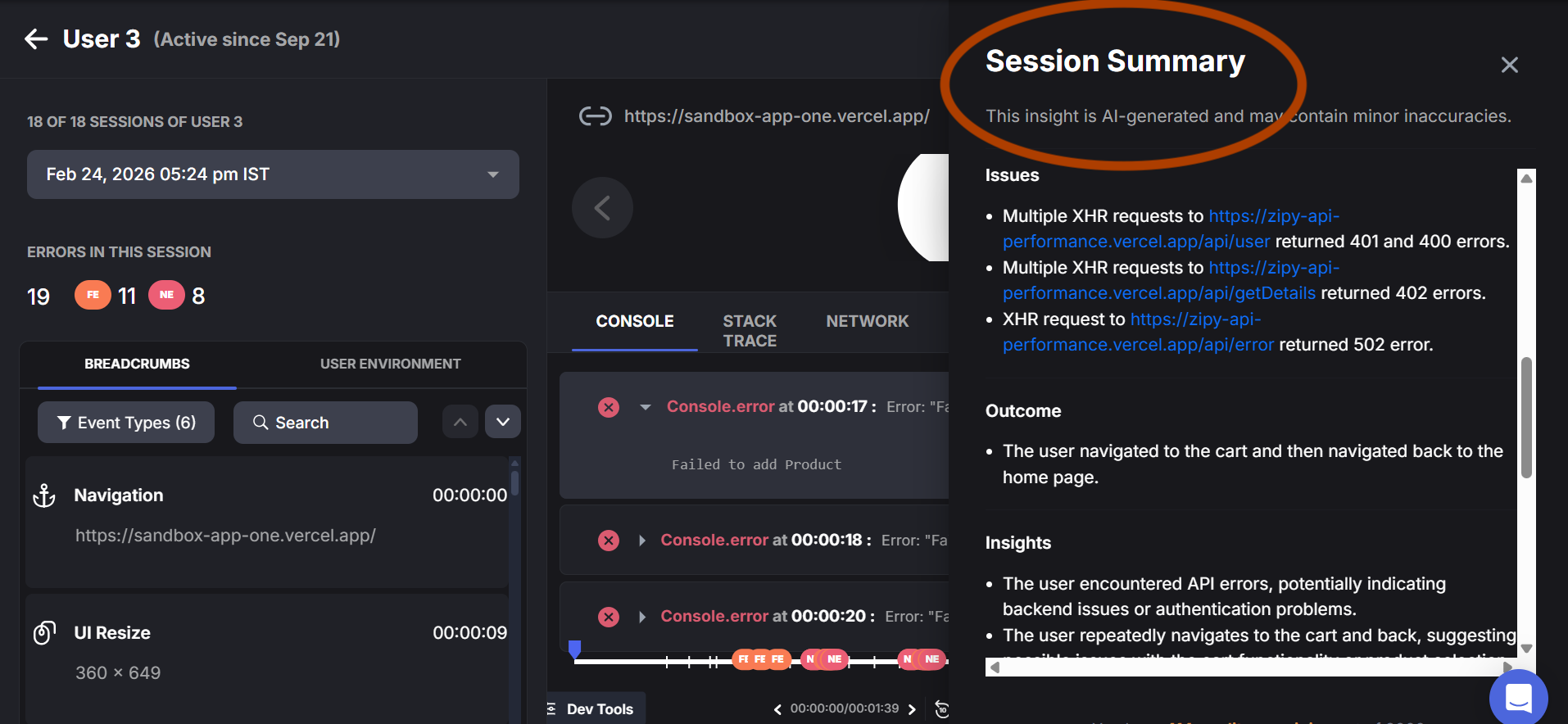
**Example Summary**
|
⚡ Save Time
Skip replays that don't need deep investigation. Get the gist in seconds.
|
🔍 Faster Debugging
Understand the sequence of events leading to an error without manual analysis.
|
🤝 Better Collaboration
Share session context with PMs, support, and designers without requiring them to watch a full replay.
|
| --------------------------------------------------------------------------------------------------- | ---------------------------------------------------------------------------------------------------------------- | ------------------------------------------------------------------------------------------------------------------------------------------- |
#### Accessing AI Summary:
1. Go to your Zipy Dashboard and navigate to Sessions.
2. Open any recorded session by clicking on it.
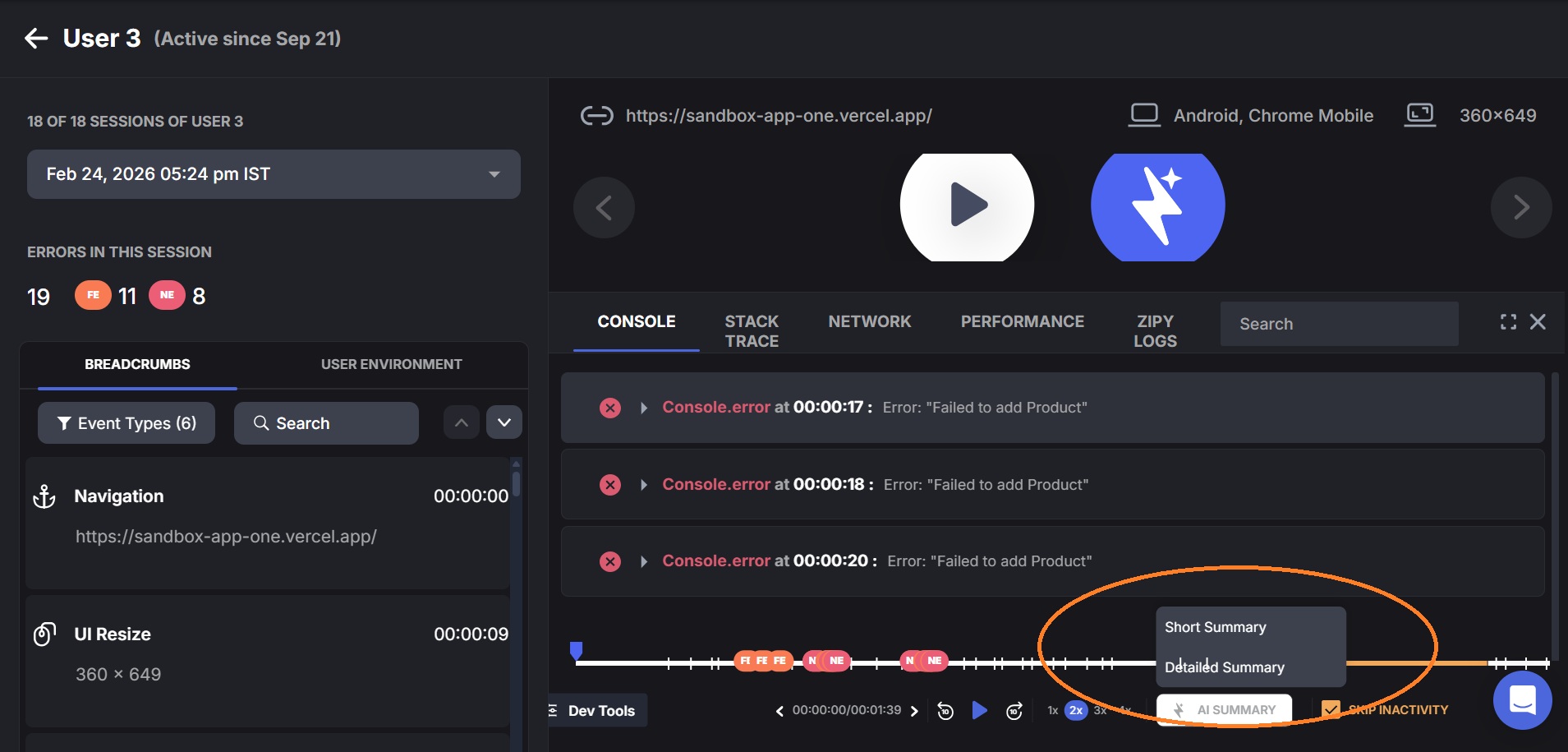
3. In the Session Replay view, locate the AI Summary button in the bottom control bar (bottom right, next to Skip Inactivity).
4. Click the AI Summary button. A dropdown appears with two options: Short Summary and Detailed Summary.
5. Select your preferred summary type. The Session Summary modal opens with the AI-generated breakdown.
6. Use the Copy Summary button at the bottom of the modal to copy the full summary text to clipboard
• Short Summary — a concise overview of the key actions, issues, and outcome of the session.
• **Detailed Summary** — a comprehensive breakdown including User Actions, Issues, Outcome, Insights, Highlights, Goal Achievement, and Recommendations.
#### Accessing AI Summary from the Session Replay Tab
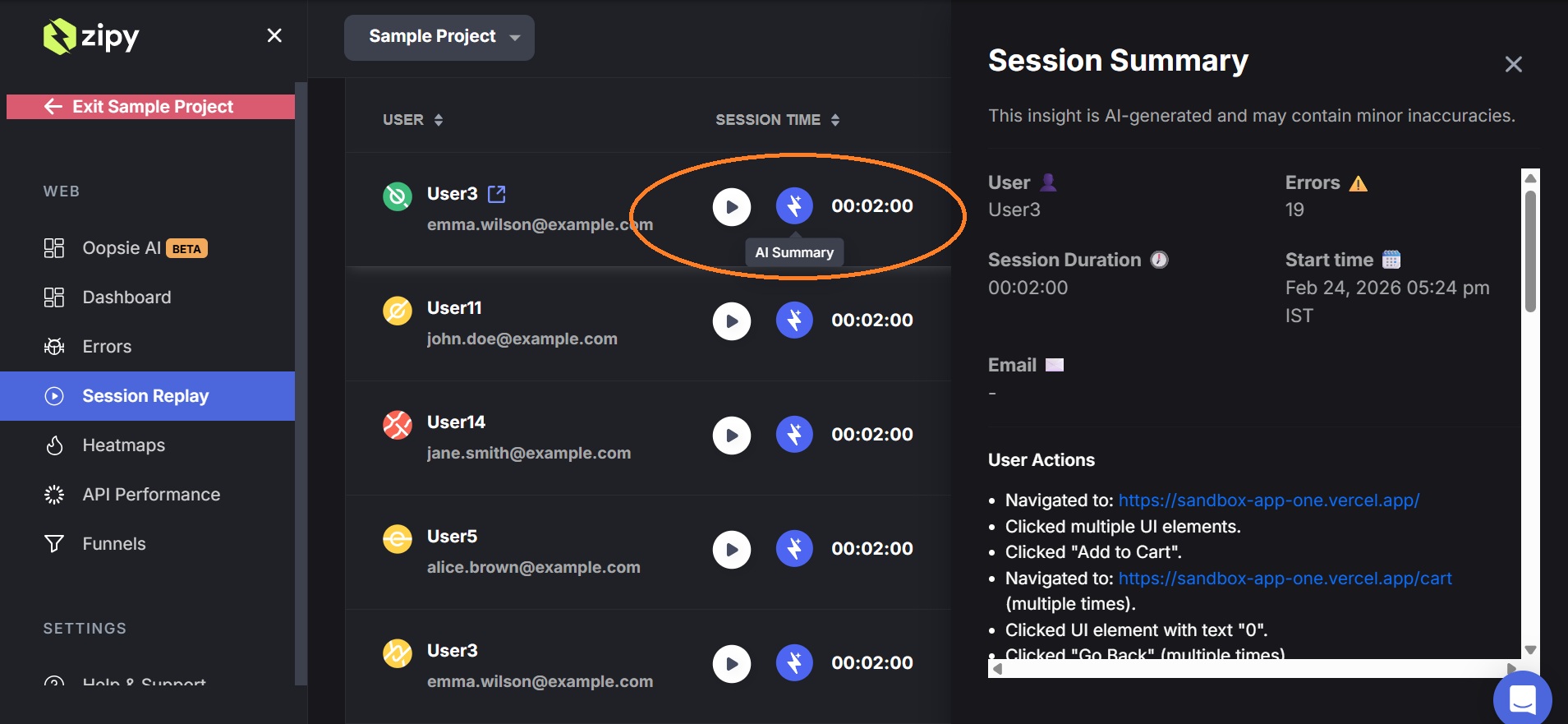
You can also access AI Summary directly from the Session Replay list view — without opening a full session replay first. Each session row has a lightning bolt icon next to the play button. Clicking this icon opens the Session Summary panel on the right side of the screen, giving you an instant AI-generated overview of that session without needing to watch the full replay.
### What AI Summary Covers
Each AI Summary is generated from the full data Zipy captures during a session, including:
**User Actions** - The User Actions section lists every meaningful action the user took during the session — navigation events, button clicks, and UI interactions — in chronological order.
**Issues** - The Issues section highlights any errors or failed network requests that occurred during the session. This includes XHR failures, API errors, and HTTP error status codes.
**Outcome** - The Outcome section summarizes what the user ultimately did by the end of the session — whether they completed a goal, navigated away, or took a specific final action.
**Insights** - The Insights section provides AI-generated interpretations of what the observed behavior might indicate about your application or the user's intent.
**Highlights** - The Highlights section calls out notable positive or significant events in the session — key actions the user successfully completed.
**Goal Achievement** - The Goal Achievement section assesses whether the user successfully completed their apparent primary goal during the session, based on their navigation and interaction patterns.
**Recommendations** - The Recommendations section provides AI-generated, actionable suggestions for your team based on the errors, behaviors, and patterns observed in the session.
|
ℹ️ Note
AI Summary does not include screenshots or replay visuals. It is a text-based narrative.
For visual context, click through to the full Session Replay directly from the summary view.