> For the complete documentation index, see [llms.txt](https://docs.zipy.ai/llms.txt). Markdown versions of documentation pages are available by appending `.md` to page URLs; this page is available as [Markdown](https://docs.zipy.ai/product-features/dashboard.md).
# Dashboard
Error and User Behaviour Analytics to solve for digital experiences
**Zipy provides an out of box analytics dashboard with two primary sections.**
1. Error Metrics
2. Usage Metrics
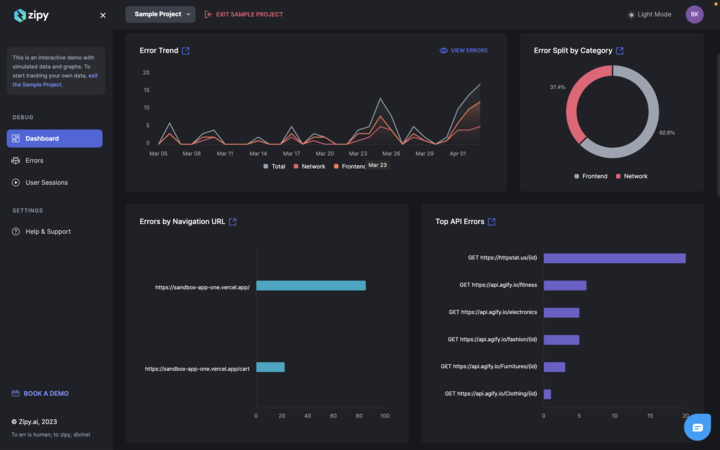
**The error dashboard contains the following charts**
1. Error Trend
2. Errors by Category
3. Errors by URL
4. Top API Errors
5. Errors by Customers (Identify should be implemented for this chart). See Documentation.
6. Errors by Users (Identify should be implemented for this chart). See Documentation.
7. Errors by Types
8. Errors by Browsers
9. Frontend Error Distribution
10. API Error Distribution
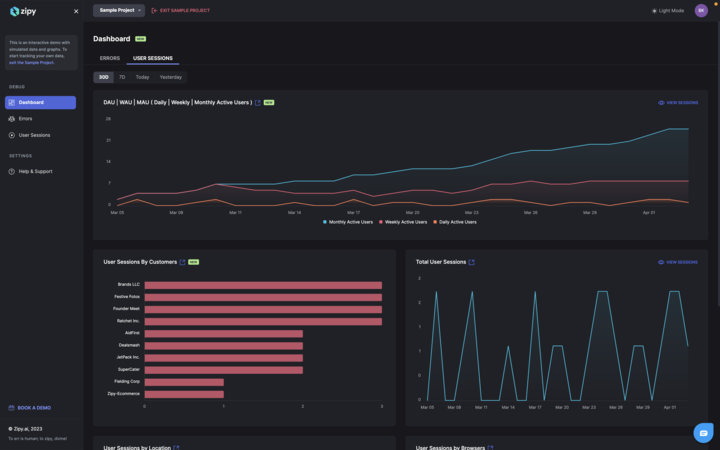
**The usage metrics contain the following charts**
1. DAU/WAU/MAU
2. User Sessions by Customers
3. User Sessions Trend Line
4. User Sessions by Location
5. User Sessions by Browser