> For the complete documentation index, see [llms.txt](https://docs.zipy.ai/llms.txt). Markdown versions of documentation pages are available by appending `.md` to page URLs; this page is available as [Markdown](https://docs.zipy.ai/product-features/ignore-errors-noise.md).
# Ignore Errors / Noise
Filter out non-critical or irrelevant errors to keep your Zipy dashboard clean and focused.
### How to Ignore Errors?
The Ignore Errors feature in Zipy allows you to filter out non-critical or unwanted errors from your dashboard (for example, from third-party libraries or external scripts). This helps reduce noise so your team can focus on issues that actually affect your users.
These errors are ignored at the source itself and not captured by the Zipy SDK.
|
Remove noise from third-party scripts, CDNs, and irrelevant sources so your team only sees errors that matter.
|
🎯 Stay Focused
Stop chasing errors you cannot fix. Ignore known or expected errors and focus on real application issues.
|
✅ Faster Triage
With fewer irrelevant errors in the feed, your team can triage and resolve critical issues faster.
|
| ------------------------------------------------------------------------------------------------------------------------------------------------ | --------------------------------------------------------------------------------------------------------------------------------------- | -------------------------------------------------------------------------------------------------------------------------------- |
### How to Ignore Errors
Follow the steps below to create an ignore rule in Zipy.
#### 1. Go to Error Settings
Navigate to:
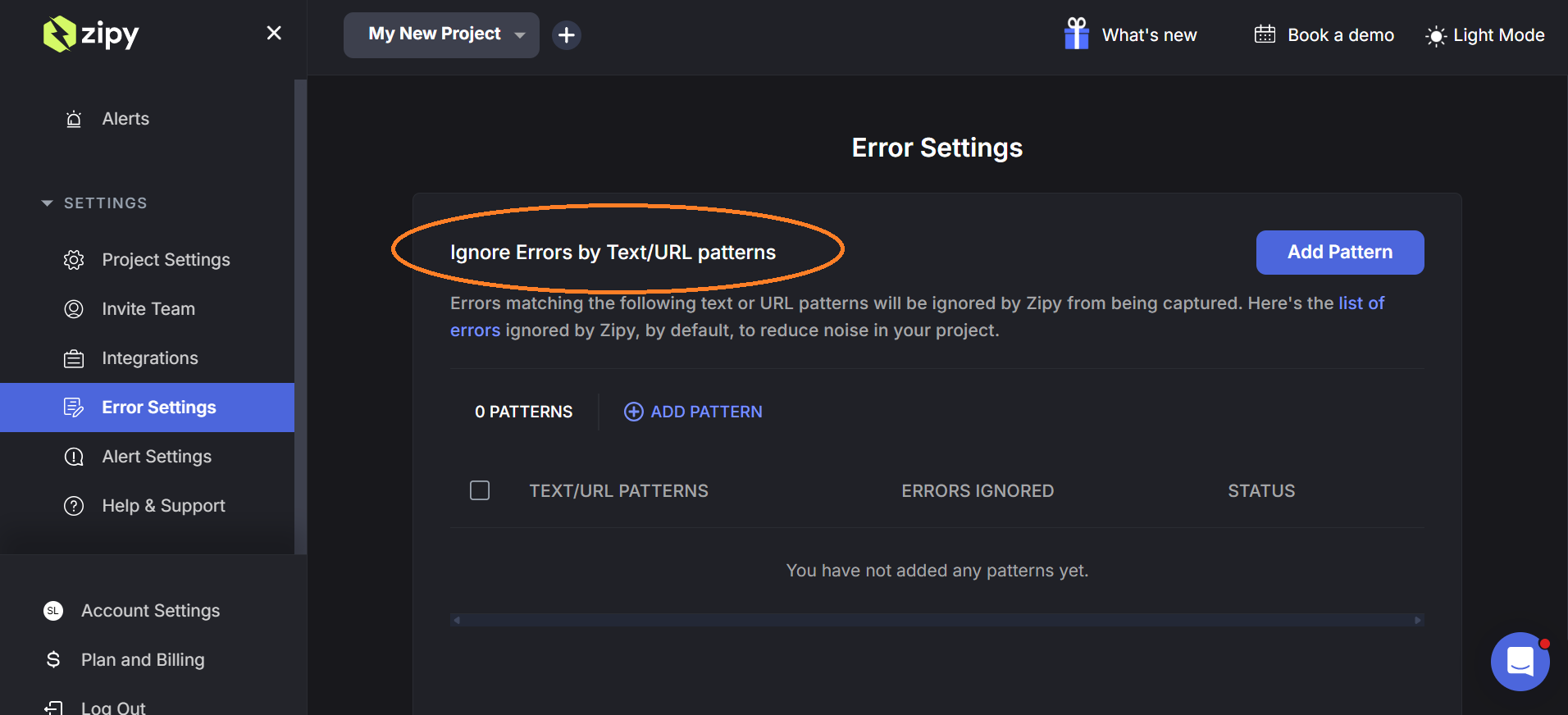
Zipy Dashboard → Settings → Error Settings
In this section, you will find Ignore Errors by Text / URL Patterns.
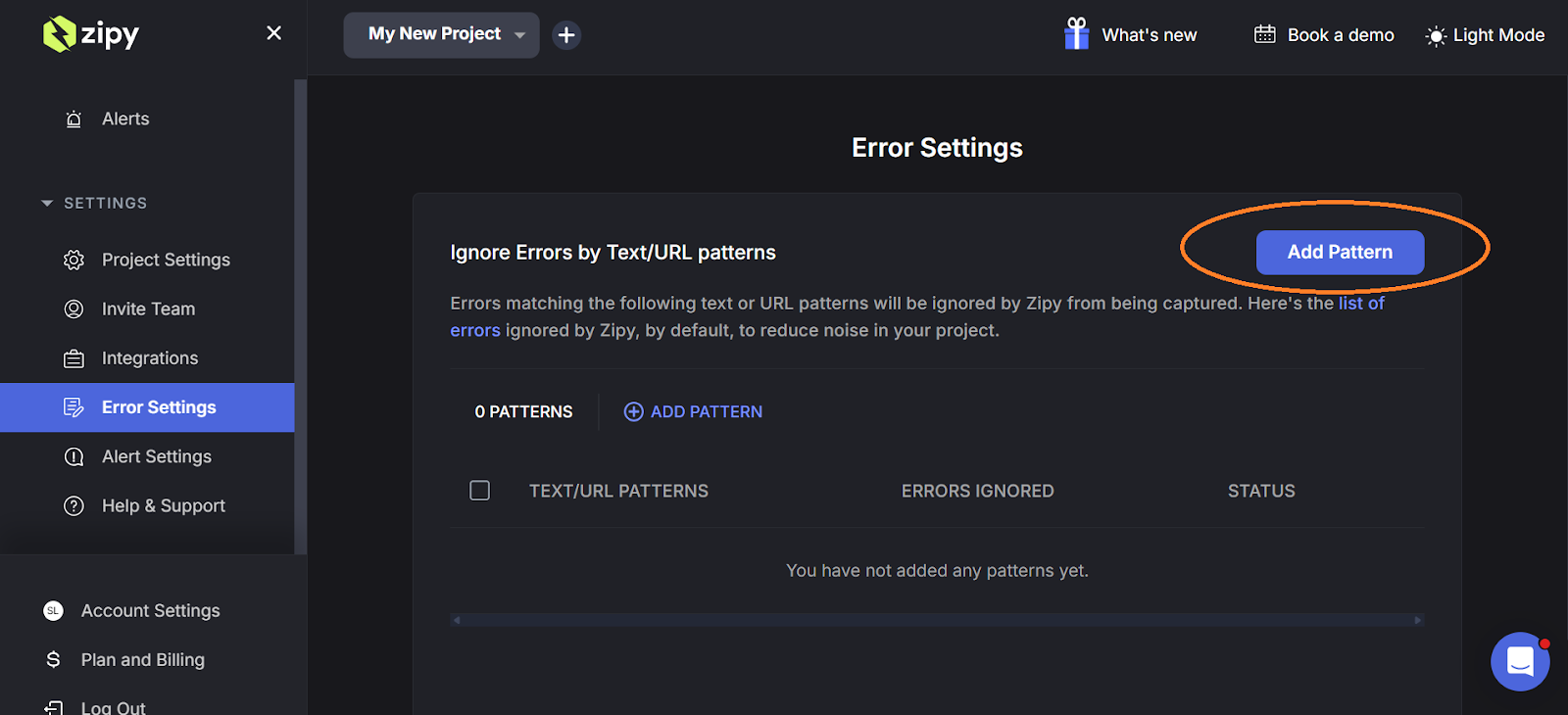
#### 2. Add a New Pattern
Click Add Pattern to create a new rule for ignoring errors.
This allows you to define which errors should be filtered.
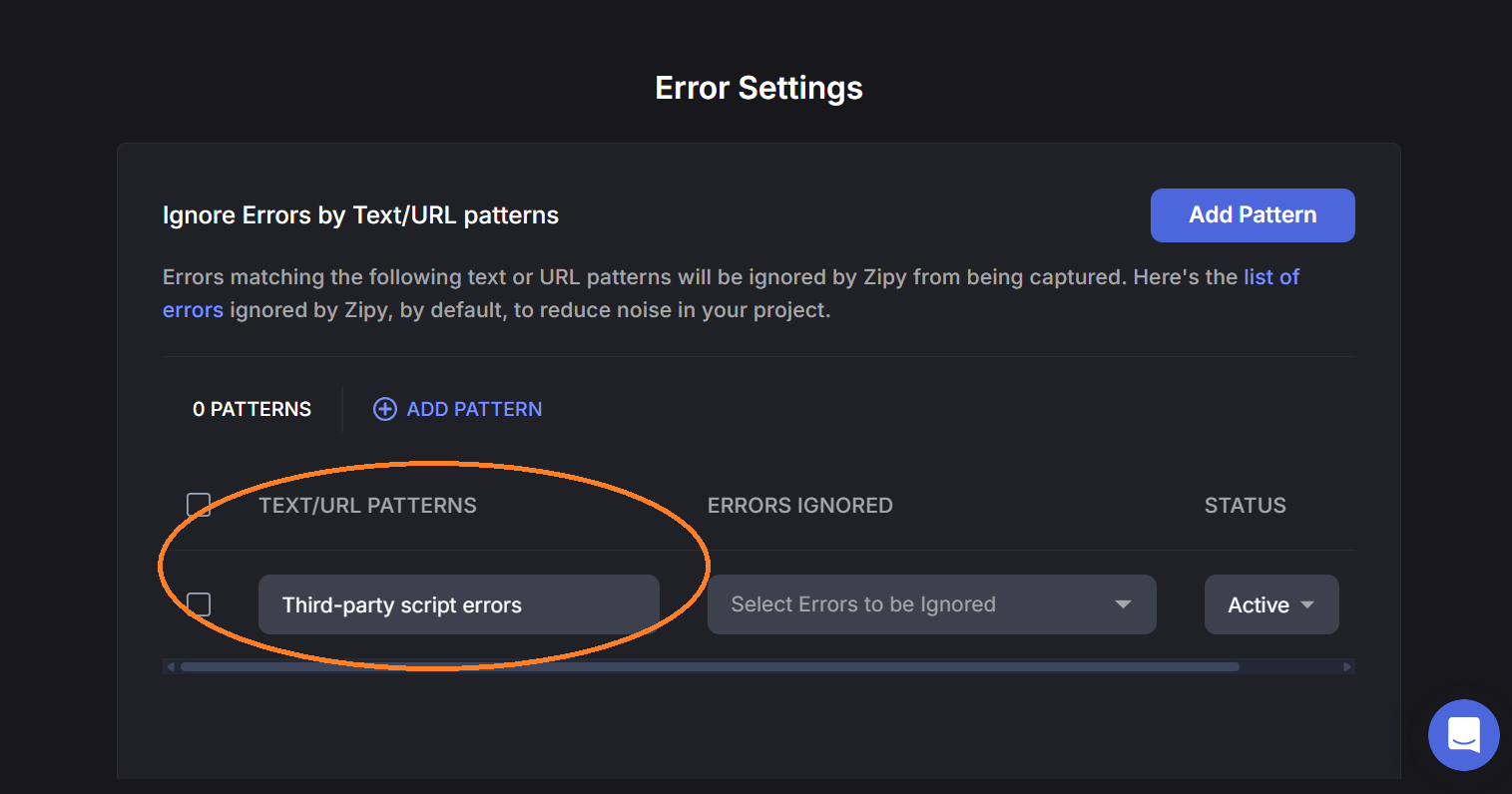
#### 3. Enter the Error Pattern
Enter a text string, URL, or library pattern that identifies the error you want to ignore.
For example:
* Third-party script errors
* CDN URLs
* Specific error messages
Zipy will match incoming errors with this pattern.
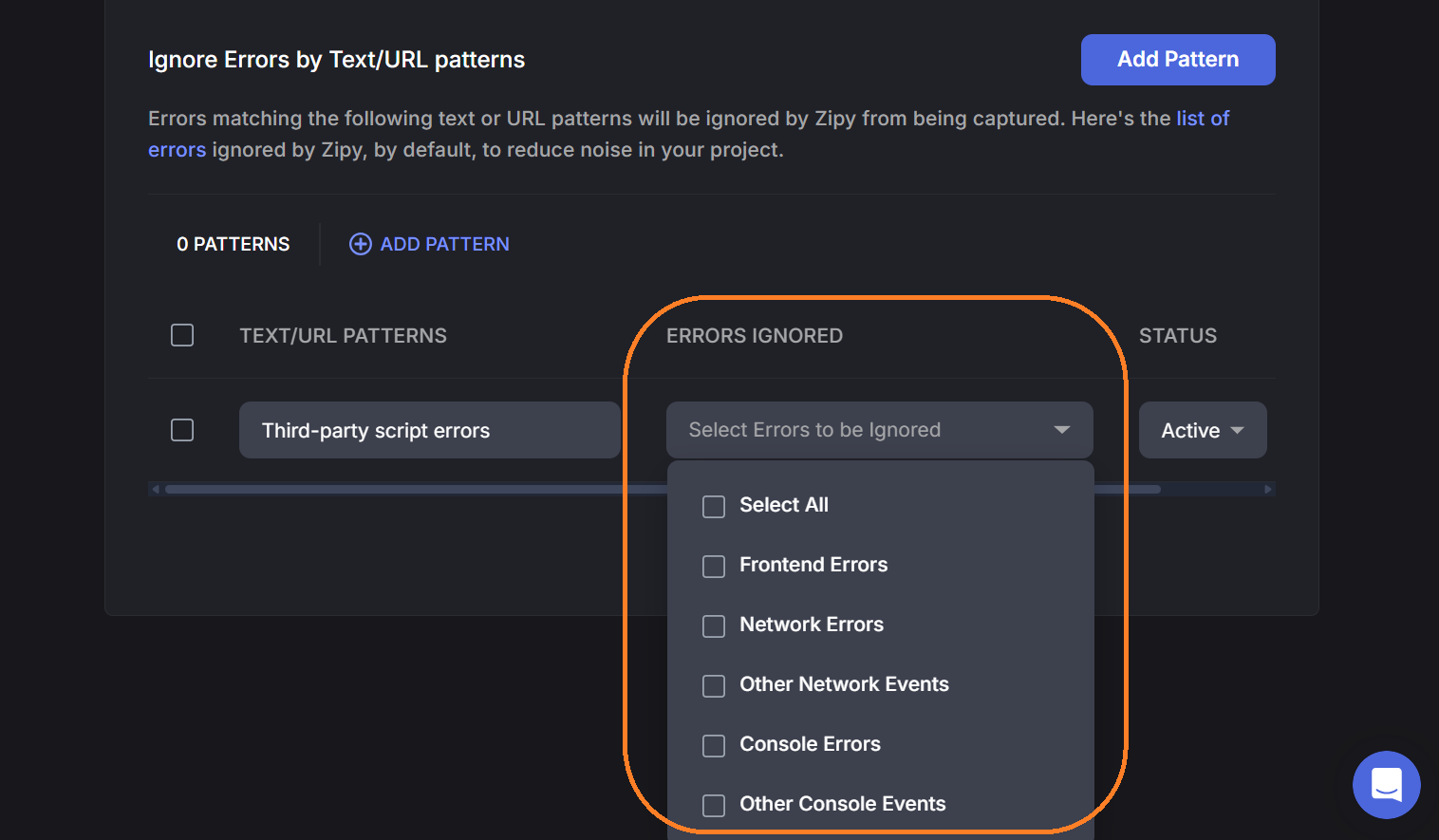
#### 4. Select Error Type
Choose the type of errors the rule should apply to:
* Frontend Errors
* Network Errors
* Console Errors
* Other Network Events
* Other Console Events
* All Errors
Then click  to save the rule.
#### Managing Ignore Rules
Once created, you can manage patterns from the same section:
* Activate / Deactivate a rule
* Edit the pattern
* Delete the rule

Ignored errors will no longer appear in your Zipy error dashboard, helping you focus on important issues.
|
ℹ️ Note
Ignored errors will no longer appear in your Zipy error dashboard, helping you focus on important issues. Rules take effect immediately after saving and apply to all new incoming errors from that point forward.