# Session Replay

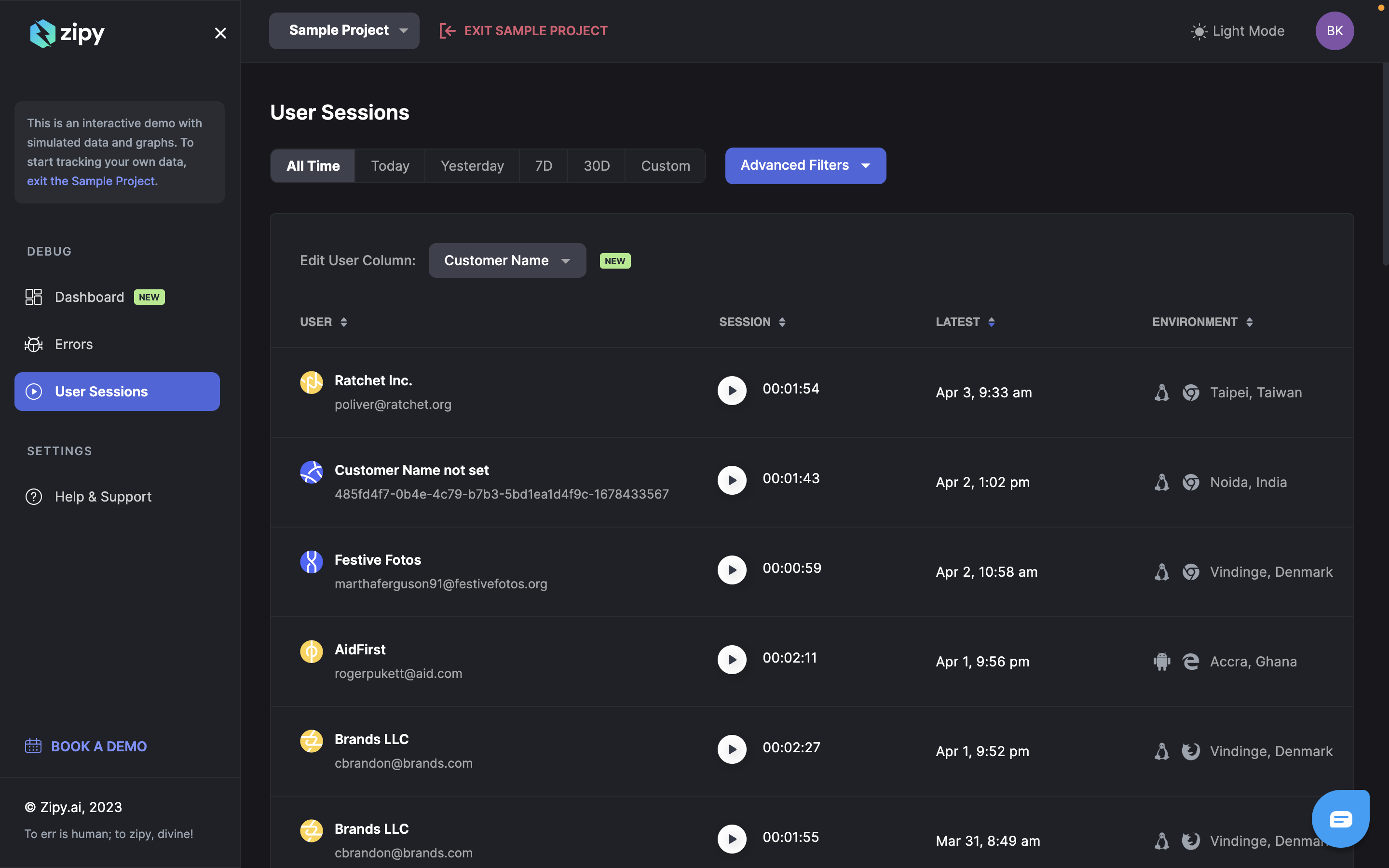
Session replay is a powerful way to view all your user journeys through session replay. You can filter all session replay by multiple parameters like time, user email, name, city, country, browser, OS etc.&#x20;

By default the Session Replay are sorted by latest session first. You can sort the sessions by user data, session size and environment.&#x20;

<figure><img src="https://3440602746-files.gitbook.io/~/files/v0/b/gitbook-x-prod.appspot.com/o/spaces%2FcCYilc27NCELgnKQNPVF%2Fuploads%2F8LTCfX8c1pCq18Spo4Dt%2Fimage.png?alt=media&#x26;token=c377e25d-3450-4dab-a749-7a87aab747aa" alt=""><figcaption></figcaption></figure>

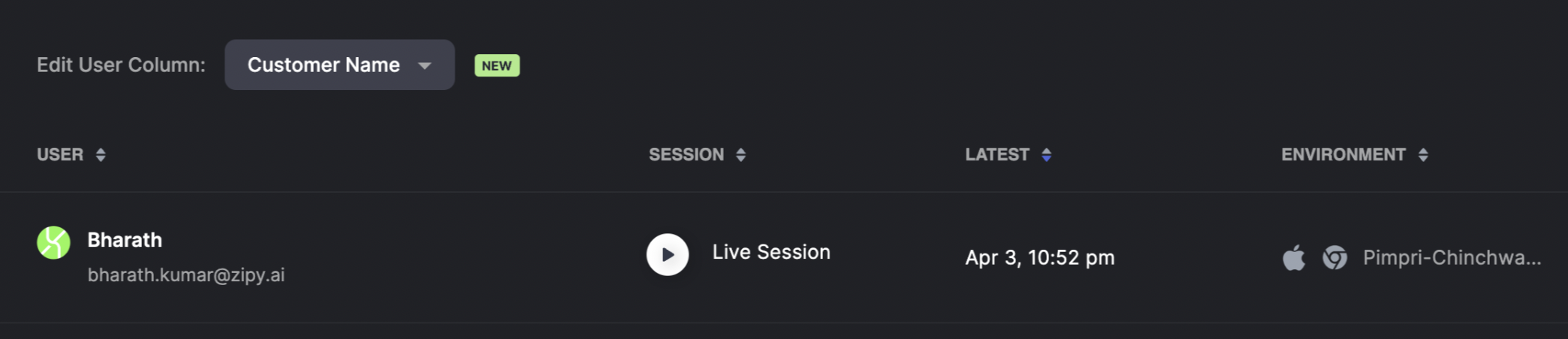
Live Session Replays can also be viewed as real time sessions are captured by Zipy.&#x20;

<figure><img src="https://3440602746-files.gitbook.io/~/files/v0/b/gitbook-x-prod.appspot.com/o/spaces%2FcCYilc27NCELgnKQNPVF%2Fuploads%2F4we0BYvbiGqAX49nUnHj%2FScreenshot%202023-04-03%20at%2010.58.47%20PM.png?alt=media&#x26;token=019546b2-31d3-4544-866f-2db3025379ab" alt=""><figcaption></figcaption></figure>

Clicking on a given session replay will playback the complete session. The Zipy User Session Player will show the following data&#x20;

1. Complete Session Replay&#x20;

<figure><img src="https://3440602746-files.gitbook.io/~/files/v0/b/gitbook-x-prod.appspot.com/o/spaces%2FcCYilc27NCELgnKQNPVF%2Fuploads%2FzbjKVQLOiFi5QWkbUt3r%2Fimage.png?alt=media&#x26;token=b34c6741-c808-4f96-a886-1ed62593f763" alt=""><figcaption></figcaption></figure>

2. Timeline with Inactivity and Errors. Option to skip inactivity, fast forward and different playback speeds. &#x20;

<figure><img src="https://3440602746-files.gitbook.io/~/files/v0/b/gitbook-x-prod.appspot.com/o/spaces%2FcCYilc27NCELgnKQNPVF%2Fuploads%2FQq5qh01wJZZlBJCfZqdI%2Fimage.png?alt=media&#x26;token=c20c7356-af7b-4c95-869d-4b97dc874ca8" alt=""><figcaption></figcaption></figure>

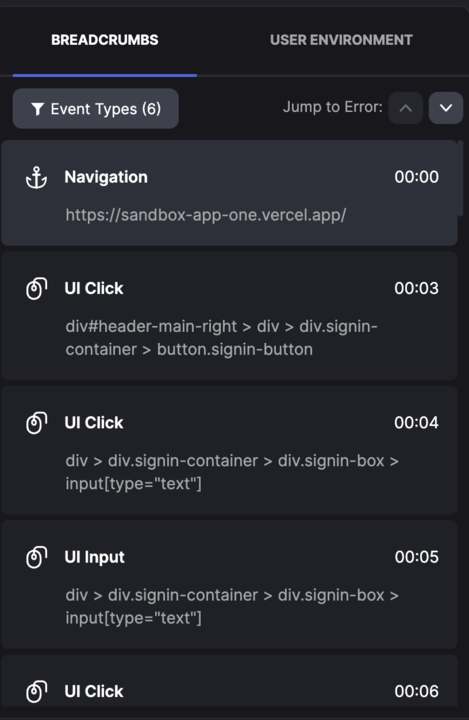
3. Breadcrumbs of all User events, including click events, network data, console logs and errors.&#x20;

<figure><img src="https://3440602746-files.gitbook.io/~/files/v0/b/gitbook-x-prod.appspot.com/o/spaces%2FcCYilc27NCELgnKQNPVF%2Fuploads%2FqRkYGgJUgSQmU6HI8ZBE%2Fimage.png?alt=media&#x26;token=0bd28dea-08a4-429e-9546-028a777d1a8f" alt=""><figcaption></figcaption></figure>

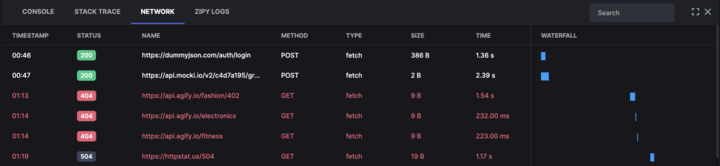
4. Dev Tools which will have console logs, network logs, stack traces and custom logs if any

<figure><img src="https://3440602746-files.gitbook.io/~/files/v0/b/gitbook-x-prod.appspot.com/o/spaces%2FcCYilc27NCELgnKQNPVF%2Fuploads%2FqCy09OtqwdtBCol4kVEz%2Fimage.png?alt=media&#x26;token=055dfa64-9e89-41c4-b425-e68ea388086d" alt=""><figcaption></figcaption></figure>

5. User Environment details like OS, browser version etc,&#x20;

<figure><img src="https://3440602746-files.gitbook.io/~/files/v0/b/gitbook-x-prod.appspot.com/o/spaces%2FcCYilc27NCELgnKQNPVF%2Fuploads%2FIgZqZqY1M4iJrTA7dSJZ%2Fimage.png?alt=media&#x26;token=06e3c2e5-48b3-42da-95d3-57b8e53feae9" alt=""><figcaption></figcaption></figure>